Key takeaways
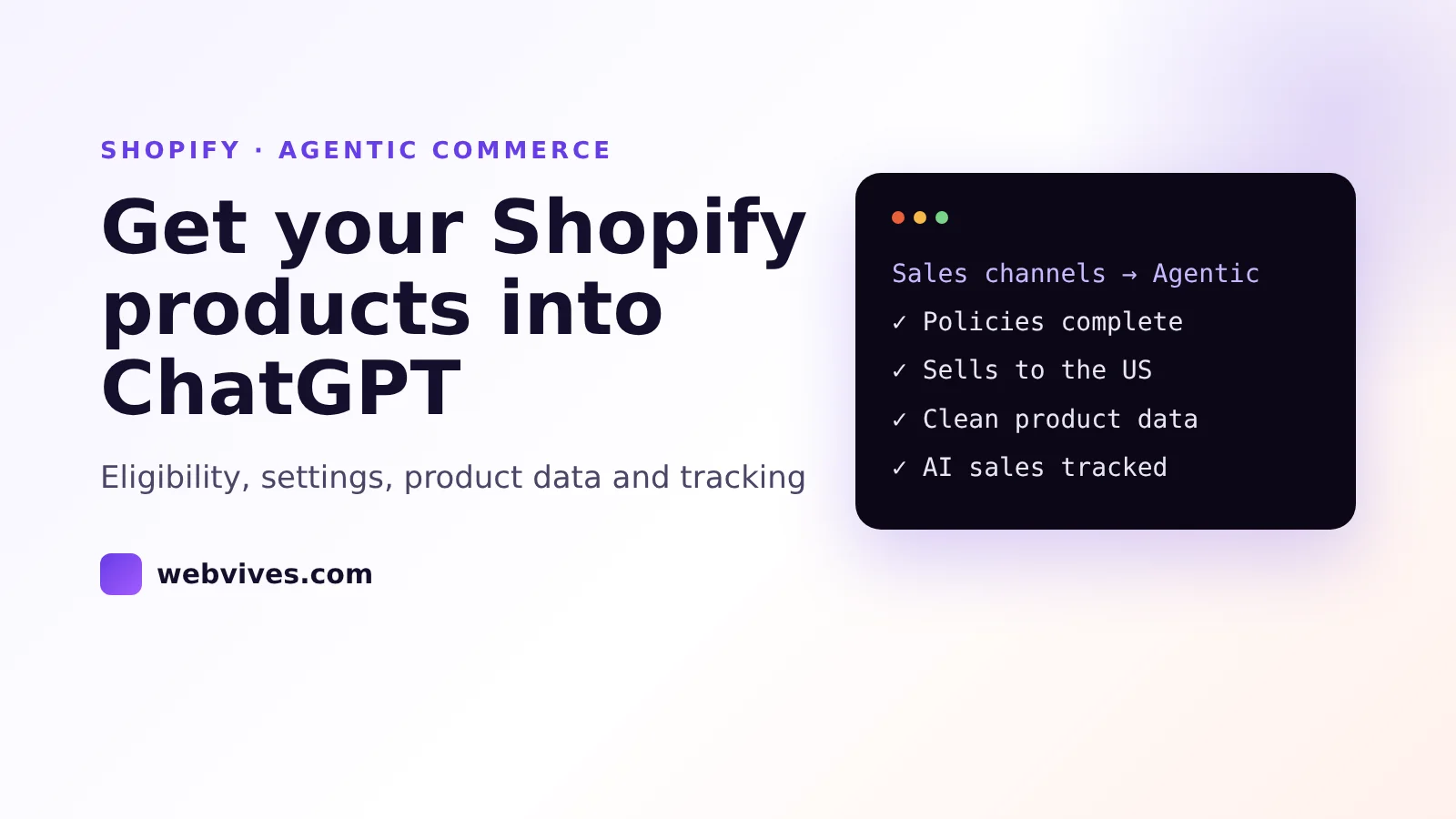
- Shopify’s Agentic Storefronts let eligible stores sell in AI channels such as ChatGPT, Microsoft Copilot, Google AI Mode and Gemini, managed from Sales channels → Agentic in your admin.
- It is active by default for eligible stores. Your products must be eligible for Shopify Catalog and your Terms of service, Privacy policy and Return and refund policy must be filled in.
- For ChatGPT, your store must sell to customers in the United States. B2B-only products and products in OpenAI’s prohibited categories don’t appear.
- Customers complete the purchase on your own Shopify checkout. There are no extra fees beyond standard payment processing.
- Clean, specific product data is what helps your products get found and recommended.
The short answer
If you sell on Shopify, you may already be in ChatGPT. Shopify’s Agentic Storefronts are switched on by default for eligible stores, and your products are shared with AI channels through Shopify Catalog. Your job is to make sure your store qualifies, check the settings, and give AI assistants product information they can actually use.
What are Shopify Agentic Storefronts?
Agentic Storefronts let shoppers discover and buy your products inside AI assistants. According to the Shopify Help Center, they cover channels such as ChatGPT, Google AI Mode and Gemini, Microsoft Copilot and Meta, and you manage them centrally from your Shopify admin. Shopify syndicates your product data through Shopify Catalog, a structured product dataset that AI agents can search, so you don’t need a separate app or product feed.
In ChatGPT, customers check out on your own online store: in the ChatGPT app this opens in an in-app browser, and on desktop it opens in a new tab. Orders arrive in your Shopify admin like any other order, and you stay the merchant of record.

Step-by-step: get your products into ChatGPT
- Check the channel. In your admin, go to Sales channels → Agentic and confirm ChatGPT is active. Shopify says it is on by default for eligible stores.
- Complete your policies. Fill in Terms of service, Privacy policy and Return and refund policy under Settings → Policies. They are required for all AI channels.
- Sell to the US. ChatGPT requires that your store sells to customers in the United States. Your business can be based elsewhere.
- Accept the terms. Selling in ChatGPT also requires Shopify’s Agentic Storefronts supplemental terms of service.
- Review product eligibility. B2B-only products aren’t supported, and products in OpenAI’s prohibited categories won’t appear. Keep any legal disclosures within the first 6,000 characters of the product description.
- Improve your product data (next section).
- Track AI sales. ChatGPT orders carry referral attribution, and your admin shows sales by AI channel, so you can compare them with your other channels.
How to make your products easy for AI to recommend
Shopify says AI shopping surfaces favor structured data with clean attributes and accurate, real-time stock and prices. In practice that means:
| Area | What to do |
|---|---|
| Product titles | Include the key specs shoppers ask about, such as size, material, model or compatibility. |
| Descriptions | Answer real questions plainly: fit, use, care, what’s in the box, delivery times. |
| Variants and attributes | Fill in size, color and other options for every variant, consistently across products. |
| Stock and prices | Keep inventory and prices accurate, since AI channels sync them in real time. |
| Policies and shipping | Make shipping, returns and contact details clear and easy to quote. |
| Images | Use clear product photos with descriptive alt text. |
Shopify’s Sidekick can suggest fixes such as adding specifications to titles, improving descriptions and filling in missing product details. On your own storefront, complete product schema helps Google and other AI tools read the same facts.
What Agentic Storefronts don’t guarantee
Being eligible doesn’t mean ChatGPT will recommend your products for every query. AI assistants choose results based on how well your products match what the shopper asks for. No agency or app can guarantee placement. What you can control is eligibility, product data quality and a fast, trustworthy checkout.
If you want help, our Shopify AI shopping readiness service reviews your settings and product data and sets up AI sales tracking. For your whole store’s visibility in Google and AI search, see Shopify SEO and AI search optimization.
Frequently asked questions
Can Shopify products appear in ChatGPT?
Yes. Shopify’s Agentic Storefronts make eligible products available in ChatGPT and other AI channels. It is active by default for eligible stores and managed under Sales channels, Agentic.
Do I need an app or product feed to sell in ChatGPT?
No. Shopify shares eligible products through Shopify Catalog. You don’t need to build a ChatGPT app or a separate feed.
Where does the customer pay when buying through ChatGPT?
On your own Shopify checkout. In the ChatGPT app it opens in an in-app browser; on desktop it opens in a new tab. Orders appear in your Shopify admin.
Are there extra fees for selling in ChatGPT?
Shopify says there are no fees beyond standard payment processing.
Why aren’t my products showing in ChatGPT?
Check that your store sells to the United States, your policies are complete, your products are eligible for Shopify Catalog and not B2B-only or in a prohibited category, and that the channel is active in Sales channels, Agentic.