Key takeaways
- An accessibility widget adds a toolbar on top of your store. It doesn’t fix the theme code underneath.
- In January 2025 the US FTC ordered overlay vendor accessiBe to pay $1 million over claims that its AI tool could make any website WCAG compliant.
- Many disabled users and accessibility professionals ask stores not to rely on overlays.
- Real compliance comes from fixing your theme, apps and content, then testing with real assistive technology.
The short answer
No. An accessibility widget (often called an overlay) can’t make a Shopify store compliant with WCAG, the ADA or the European Accessibility Act on its own. It adds a menu of display settings on top of your site, but the problems that block disabled shoppers, such as keyboard traps, missing labels and meaningless alt text, live in your theme code and content.
What an overlay is
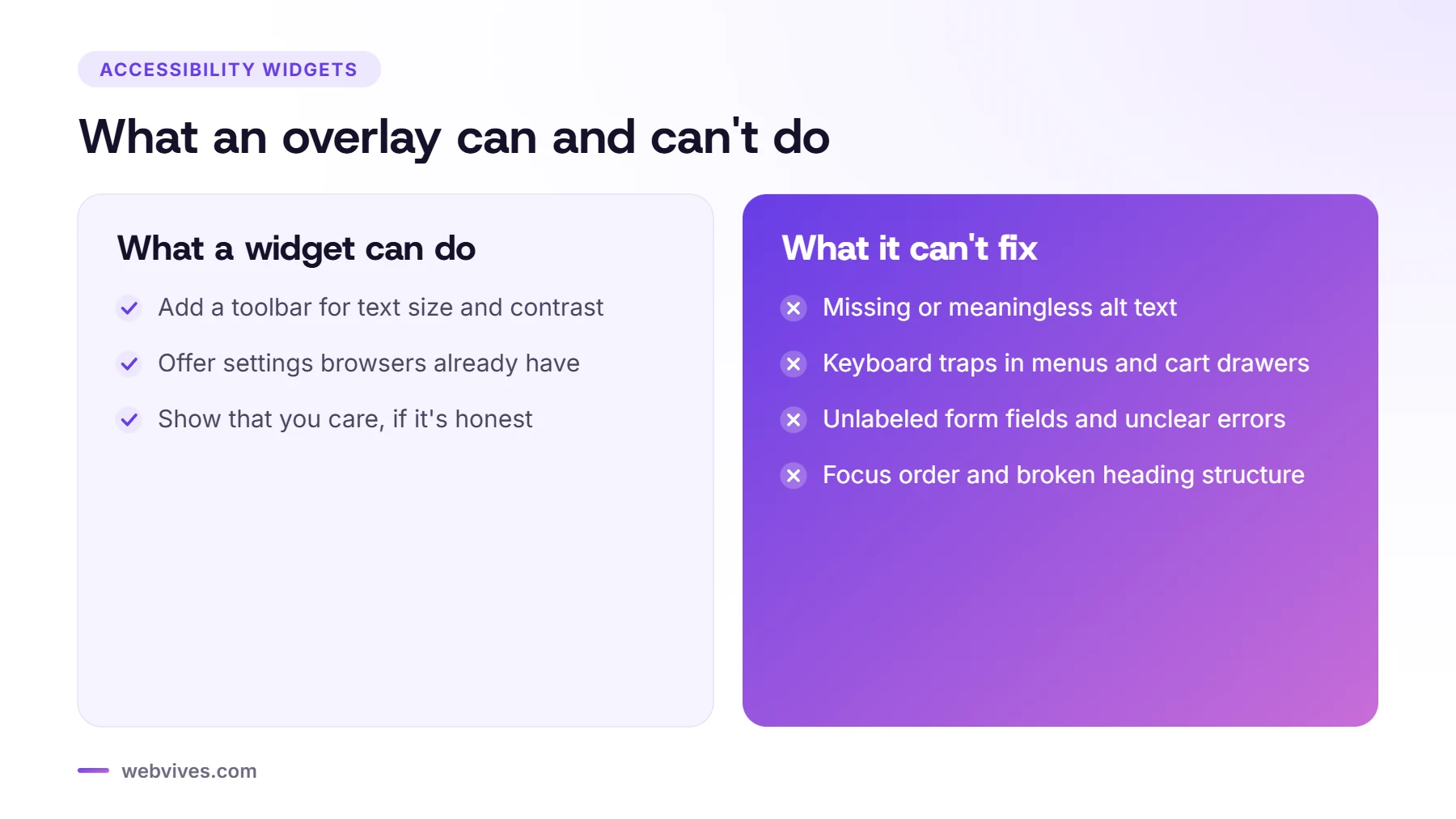
An overlay is a script you add to your store. It usually shows a floating accessibility icon that opens a toolbar with options like bigger text, higher contrast, a dyslexia-friendly font or stopping animations. Some also claim to use AI to repair code automatically as the page loads.
What the FTC said
On 3 January 2025, the US Federal Trade Commission announced an order requiring accessiBe, a well-known overlay vendor, to pay $1 million. According to the FTC, the company claimed its AI-powered widget could make any website compliant with WCAG, but the tool didn’t make all websites compliant, so the claims were false, misleading or unsubstantiated. The FTC also alleged the company published reviews and articles that looked independent without disclosing its connection to them.
The order bars the company from claiming that its automated products can make any website WCAG compliant, or keep it compliant, without evidence. It doesn’t ban overlays, but it’s a clear warning about compliance promises.
Why automated fixes fall short
Some barriers can only be fixed by a person who understands the page:
- Alt text: software can guess what an image shows, but not why it matters to a shopper choosing between two colors.
- Keyboard traps: a cart drawer or menu that traps focus has to be fixed in the theme’s JavaScript.
- Forms and errors: labels, instructions and error messages need to be written into the form.
- Structure: heading order, focus order and button names come from how the theme is built.
Many screen reader users already have their own settings and tools, and some report that overlays interfere with them. That’s why the Overlay Fact Sheet, signed by accessibility practitioners and disabled users, asks site owners not to rely on overlays. Shopify’s own guidance also notes that following guidelines alone doesn’t guarantee a fully accessible store: real testing matters.
What to do instead
- Audit the store with automated tools plus manual keyboard and screen reader testing.
- Fix the theme: focus styles, keyboard access, labels, button names, contrast and drawer behavior.
- Fix the content: alt text, captions, link text and headings.
- Check your apps: reviews widgets, popups, chat and filters often cause the worst problems.
- Publish an accessibility statement with a way to report issues.
- Retest after theme updates and new apps.
Is it ever OK to use a widget?
A preferences toolbar can be a small convenience for some visitors, as long as it’s not presented as a compliance solution and doesn’t get in the way of screen readers or keyboard users. If you keep one, make sure the store works perfectly without it, and never say it makes your store compliant. Our Shopify accessibility checklist shows what real fixes look like.
Sources and further reading
- FTC order requires online marketer to pay $1 million for deceptive claims (US Federal Trade Commission)
- Overlay Fact Sheet (Accessibility practitioners)
- Guidance on web accessibility and the ADA (US Department of Justice)
- Accessibility in your online store (Shopify Help Center)
Frequently asked questions
Do accessibility widgets make a website ADA compliant?
No. A widget adds display settings on top of your site but doesn’t fix the underlying code and content, which is where most barriers are.
What did the FTC say about accessiBe?
In January 2025 the FTC ordered accessiBe to pay $1 million, alleging that its claims that its AI tool could make any website WCAG compliant were false, misleading or unsubstantiated.
Should I remove the accessibility widget from my Shopify store?
If it’s presented as a compliance solution or interferes with screen readers, yes. Focus on fixing the theme and content instead.
What is the alternative to an accessibility overlay?
An audit with automated and manual testing, followed by fixes in your theme, apps and content, then regular retesting.