Key takeaways
- Shopify is the better fit for most businesses whose main goal is selling products: hosting, security, checkout and updates are handled for you.
- WooCommerce is the better fit when content, custom logic or full code ownership matter more than convenience.
- WooCommerce isn’t free once you add hosting, premium extensions and developer time. Compare total cost over 2–3 years, not the plugin price.
- Both can rank well on Google. Good SEO depends far more on content, speed and structure than on the platform.
The short answer
We build stores on both platforms every month, so we don’t have a reason to push you one way. Here’s the honest version: if your business is mainly about selling products, Shopify is usually the better choice. If your website is mainly about content, or you need custom functionality that no app provides, WooCommerce can be the better fit.
The rest of this guide explains why, with real costs and the trade-offs we see on client projects.
What each platform actually is
Shopify is a hosted ecommerce platform. You pay a monthly plan, and Shopify runs the servers, security, checkout and platform updates. You customize the store with themes, apps and custom code.
WooCommerce is a free plugin that turns a WordPress website into a store. You choose your own hosting and you’re responsible for updates, security, backups and performance, usually with help from a developer.
Real costs: what you’ll pay each year
| Cost | Shopify | WooCommerce |
|---|---|---|
| Platform | Basic $39/month (or $29/month billed yearly); Grow $105/month; Advanced $399/month | Free plugin |
| Hosting | Included | About $10–$100+/month, depending on traffic |
| Theme | Free, or a one-time premium theme | Free, or a premium theme licence |
| Apps / extensions | Monthly app subscriptions | Premium extensions, often renewed yearly |
| Payment fees | Card processing fees; no extra Shopify fee with Shopify Payments | Card processing fees from your payment gateway |
| Maintenance | Low: platform updates handled for you | Updates, backups and security: your time or a care plan |
Shopify prices are taken from Shopify’s pricing page at the time of writing. The big difference isn’t the platform fee, it’s maintenance. A WooCommerce store needs someone to update plugins, test for conflicts, keep backups and watch security every month. If that’s you, it costs time; if it’s a developer, it costs money.
Ease of use
Shopify is easier for day-to-day store work: adding products, managing orders, running discounts and handling returns are all in one clean admin. WooCommerce uses the WordPress dashboard, which is familiar if you already run a WordPress site, but store settings are spread across WooCommerce and each extension’s own screens.
Flexibility and customization
WooCommerce wins on raw flexibility. You have full access to the code and database, so almost anything is possible, from unusual pricing rules to deep integrations with internal systems.
Shopify is more structured. Themes can be fully customized with Liquid code, apps add most features, and Shopify Plus unlocks checkout customization and automation for larger stores. A few things, like the URL structure and parts of the checkout on standard plans, can’t be changed.
Payments and checkout
Checkout is where stores win or lose sales, and it’s one of Shopify’s biggest strengths. Shopify’s checkout is fast, mobile-friendly and trusted by shoppers, with Shop Pay, Apple Pay, Google Pay and other express options built in. Returning Shop Pay customers can check out in a few taps.
WooCommerce’s checkout is fully customizable, which is great for unusual flows, but the experience depends on your theme, payment plugins and hosting speed. A well-built WooCommerce checkout can perform very well; a cluttered one with slow hosting can quietly cost you sales.
Content, blogging and landing pages
WordPress is the world’s most popular content platform, and it shows. If your marketing depends on long-form content, guides, a resource library, memberships or courses, WooCommerce on WordPress gives you more powerful tools out of the box.
Shopify has a built-in blog and page editor that covers most stores’ needs, and theme sections make landing pages easy to build. For content-heavy brands we sometimes combine both: Shopify for the store and WordPress for a large content hub, linked together.
SEO
Both platforms can rank very well. WooCommerce gives you more control over URL structure and technical settings through plugins like Yoast or Rank Math. Shopify uses fixed URL patterns such as /products/ and /collections/, but handles hosting speed, SSL and sitemaps for you.
In practice, the stores that rank well on either platform have the same things in common: useful product and collection content, clean site structure, fast pages and structured data that search engines and AI tools can read.
Speed and security
Shopify’s hosting and global CDN are the same for everyone, and Shopify handles platform security and PCI compliance for checkout. Speed problems on Shopify usually come from too many apps or heavy themes.
WooCommerce speed and security depend on your hosting, caching setup and plugins. A well-built WooCommerce store on good hosting can be very fast; a store on cheap shared hosting with dozens of plugins often isn’t. Outdated or pirated plugins are also the most common way WordPress sites get hacked.
Scaling: B2B, international and high traffic
Shopify scales without you thinking about servers, and has built-in tools for selling in several markets and currencies, plus B2B features on higher plans. WooCommerce can scale too, but needs stronger hosting, caching and developer attention as traffic and order volume grow.
Real examples from our projects
- Music and digital downloads: for karaoke and backing-track stores selling thousands of files, we chose Shopify for its reliable checkout and secure digital delivery apps.
- Event rentals: a UK silent disco hire business runs on Shopify, using packages, deposits and date-based availability.
- Publishing: a UK book publisher with a lot of content and a shop runs on WordPress and WooCommerce, where content and commerce sit side by side.
- Lead generation with a shop: coaching and service businesses often choose WordPress, because the main goal is content and enquiries, with a small store attached.
Can you switch later?
Yes, in both directions. Products, customers, orders, content and URLs can be moved, and 301 redirects protect your rankings. It’s still a project, so it’s worth choosing carefully at the start, but you’re not locked in forever.
Which one should you choose?
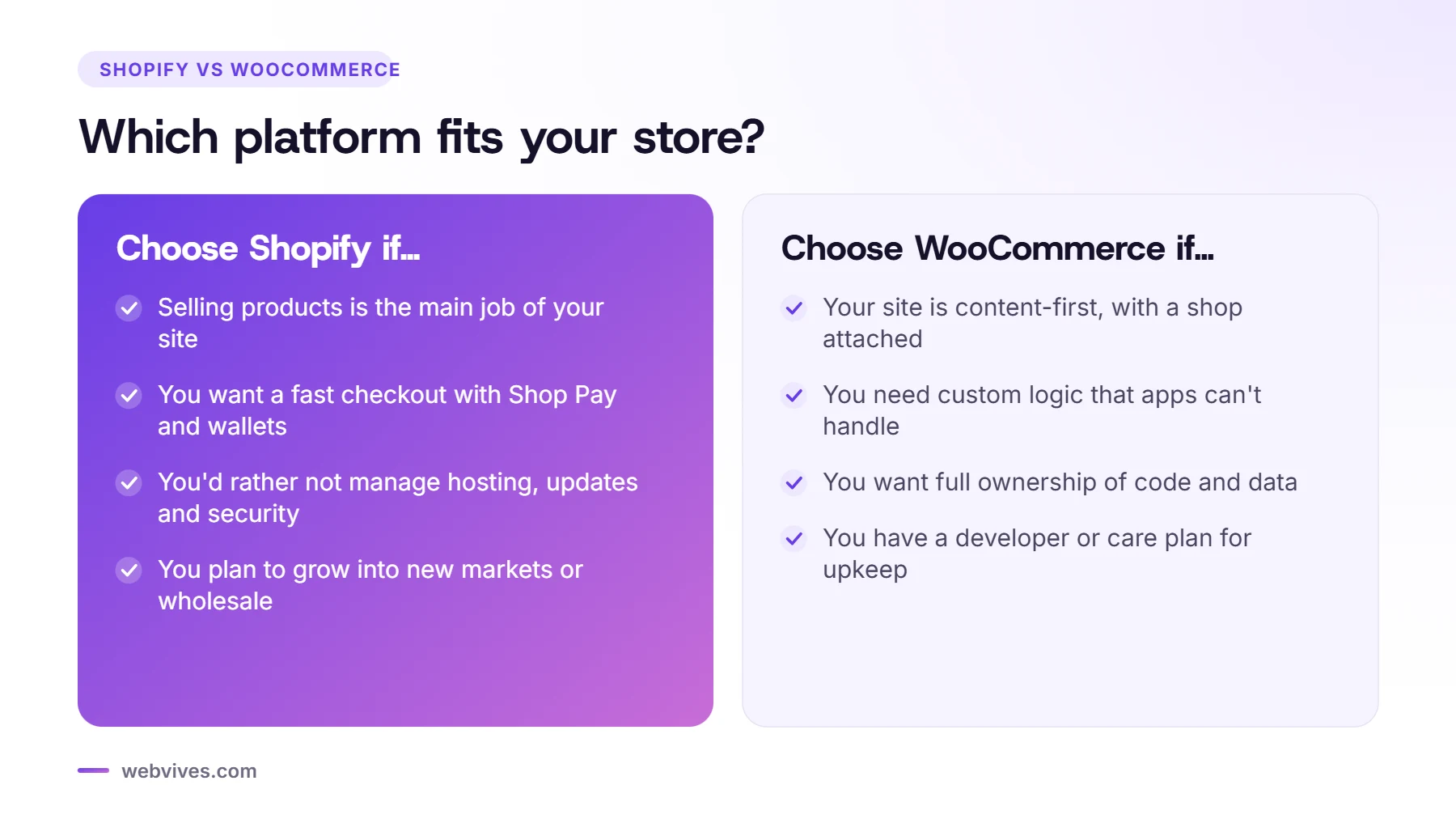
Choose Shopify if:
- Selling products is the main job of your website.
- You want a fast, trusted checkout with Shop Pay and express wallets.
- You’d rather not manage hosting, updates and security.
- You plan to grow into new markets, wholesale or high sales volume.
Choose WooCommerce if:
- Your site is content-first (a publisher, a blog, a membership or a course platform) with a shop attached.
- You need custom logic that apps can’t handle.
- You want full ownership of the code and database, and you have a developer or care plan for maintenance.
Still unsure? That’s normal. A 30-minute call is usually enough to work out which platform fits your products, budget and plans.
Frequently asked questions
Is Shopify better than WooCommerce?
For most product-focused stores, yes, because Shopify handles hosting, security, updates and checkout for you. WooCommerce is better when you need full code control, very custom functionality or a content-heavy site with a shop attached.
Is WooCommerce cheaper than Shopify?
The WooCommerce plugin is free, but you pay for hosting, premium extensions, security and maintenance. For many stores the total cost ends up similar to Shopify, and sometimes higher once developer time is included.
Which is better for SEO, Shopify or WooCommerce?
Both can rank very well. WooCommerce gives more control over URLs and technical settings; Shopify has fixed URL patterns but handles speed, hosting and security. Content, site structure and page speed matter more than the platform.
Can I move from WooCommerce to Shopify later?
Yes. Products, customers, orders, content and URLs can be migrated, with 301 redirects to protect your rankings.
Sources and further reading
- Shopify pricing (Shopify)
- WooCommerce (Automattic)
- Migrating from WooCommerce (Shopify Help Center)