Key takeaways
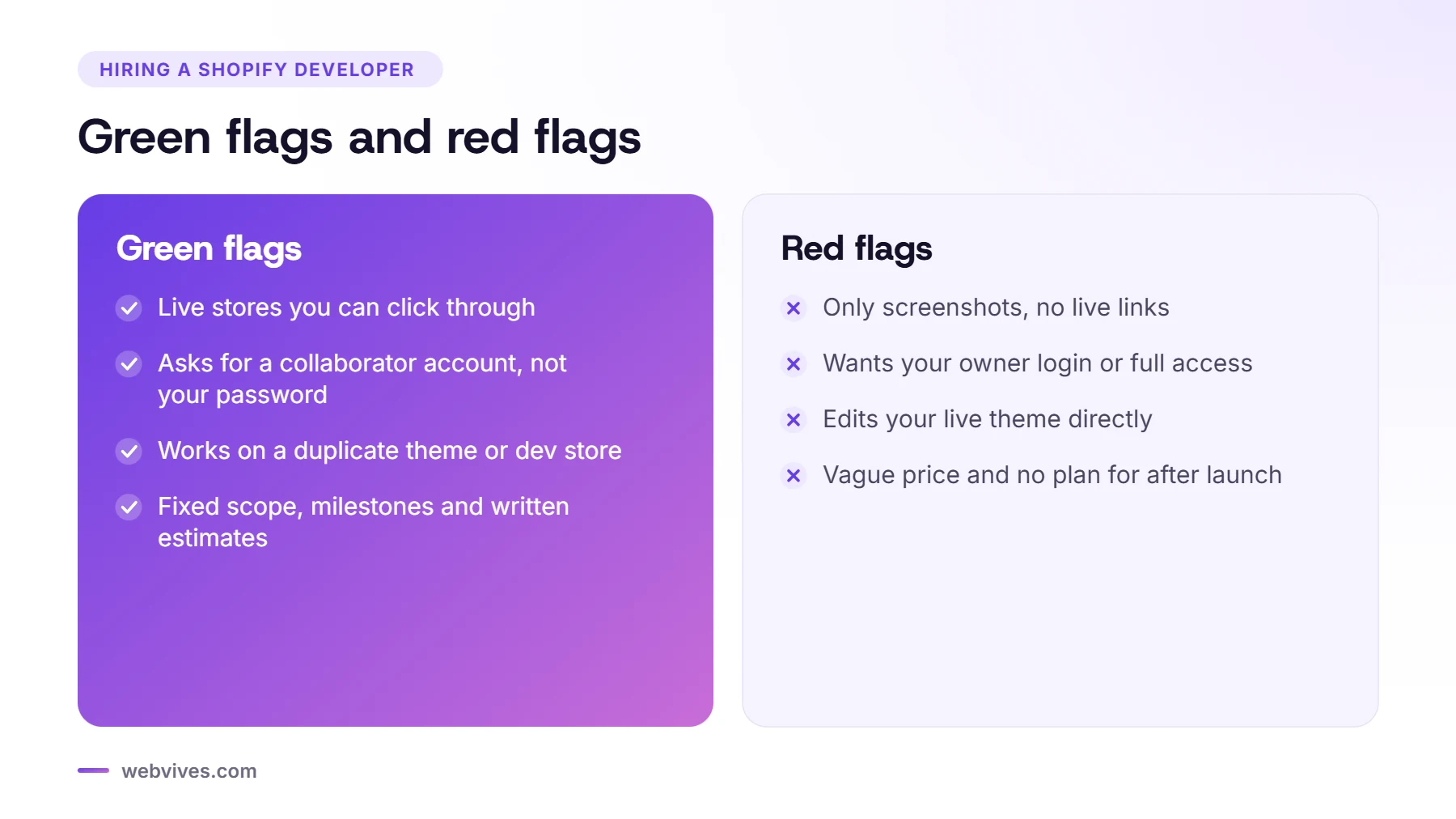
- Ask to see live stores, not just screenshots, and ask what exactly the developer built on each one.
- A good developer asks for a collaborator account with only the permissions they need. Never share your owner login.
- Work should happen on a duplicate theme or development store, never on your live theme.
- Agree scope, milestones, ownership and post-launch support in writing before you pay.
The short answer
Choose a Shopify developer the way you’d choose any long-term partner: look at real work, check how they handle access and risk, and get scope, price and ownership in writing. The 12 questions below take about 30 minutes on a call and will filter out most of the problems we’re asked to fix later.
Where to find Shopify developers
Shopify’s own Partner Directory is a good start. You can filter by service, price range, location, industry and language, and read reviews. Shopify only lets merchants leave a review after the partner has had collaborator access for at least a week, which makes them harder to fake. Freelance marketplaces, referrals and agency websites are other options.
The 12 questions to ask
1. Can I see live stores you built?
Ask for links, then ask what exactly they did on each one: full build, theme customization, app integration or just a few fixes. A good answer names specific features and challenges.
2. Are you a Shopify Partner?
Partners have access to development stores and collaborator accounts, which makes the work safer and cleaner. It’s not a guarantee of quality, but it’s a sign they work with Shopify professionally.
3. How will you access my store?
The right answer is a collaborator account. You generate a request code in your Users settings, approve only the permissions they need, and remove access when the work is done. Collaborators can’t become owners, and access expires after 90 days of inactivity. If someone asks for your owner email and password, walk away.
4. Where will you do the work?
On a duplicate of your theme or in a development store, not on your live theme. Changes are previewed and tested before they go live, so customers never see a half-finished page.
5. Will I be able to edit the store myself?
Modern Shopify themes use sections and blocks, so you can change text, images and layout without code. Ask whether new features will be built as editable sections, and whether you’ll get a short training video.
6. App or custom code?
Every app adds a monthly fee and often some extra code. A good developer will tell you when an app is the right choice and when a few lines of theme code are cheaper and faster.
7. How do you handle speed?
Ask how they keep the store fast: image sizes, app scripts, fonts and testing with PageSpeed Insights. Ask for before-and-after numbers from a past project.
8. What about accessibility?
Contrast, keyboard access, alt text and labelled forms should be part of the build, not an afterthought. This matters even more if you sell to the EU or the US.
9. If we’re migrating, how will you protect my SEO?
Look for a clear redirect plan for every old URL, preserved titles and descriptions, and checks in Search Console after launch.
10. How do payments and milestones work?
A clear proposal splits the project into milestones with a deliverable for each. You pay as work is completed and approved, which protects both sides.
11. Who owns the store, theme and accounts?
You should own the Shopify store, the domain, the theme code and all app accounts. If the developer starts the build in their own development store, ask how and when ownership will be transferred to you.
12. What happens after launch?
Ask about the warranty period for bugs, response times and whether ongoing support is available as a monthly plan or by the hour.
Red flags
- They want your owner login, or they share one login across their team.
- They can’t show live work, only mock-ups or screenshots.
- They edit your live theme directly.
- The quote is vague, with no milestones and no written scope.
- They push you to install lots of apps without explaining the monthly cost.
- They go quiet for days during the project and there’s no agreed way to communicate.
What does a Shopify developer cost?
Rates vary widely with experience, location and scope. Instead of comparing hourly rates, compare the total cost of the project and what’s included: design, apps, testing, training and support. Our guide to what a Shopify store costs has example budgets.
Sources and further reading
- Hiring help for your store (Shopify Help Center)
- Collaborator accounts (Shopify Help Center)
- Shopify Partner Directory (Shopify)
Frequently asked questions
How do I give a Shopify developer access to my store?
Use a collaborator account. Generate a request code in your Users settings, share it with the developer, then approve only the permissions they need. Remove access when the work is finished.
Should I give a developer my Shopify password?
No. Collaborator accounts let developers work without your login, with limited permissions and their own activity history.
Where can I find a trusted Shopify developer?
Start with the Shopify Partner Directory, where you can filter partners and read verified merchant reviews, then check live work and references.
Should a developer work on my live theme?
No. Work should be done on a duplicate theme or a development store, then published once it has been tested.
Who should own the Shopify store after the project?
You should. Make sure the store, domain, theme and app accounts are in your name, and agree any ownership transfer in writing.