Key takeaways
- Shopify can sell music well, but it needs a digital delivery app. Shopify does not host audio as product media.
- The free Shopify Digital Products app handles simple downloads. Apps such as Sky Pilot add streaming, download limits and expiring links.
- Use short, lower-quality preview clips. Never use your full master file as a preview.
- Sell formats and licenses as variants, and charge EU VAT on digital sales based on the buyer’s country.
The short answer
Yes, you can sell music on Shopify. Shopify handles the store, checkout and payments, and a digital delivery app sends each buyer their files. For a small catalog, Shopify’s free Digital Products app is enough. If you want streaming previews, download limits, expiring links or a customer library, use a dedicated app or a custom setup.
What you can sell
Musicians, producers and labels use Shopify to sell much more than single tracks:
- Singles and albums in MP3, WAV or FLAC
- Stems, sample packs and presets (usually as a ZIP file)
- Beats with different license levels
- Audiobooks, spoken word and premium podcast episodes
- Bundles that mix vinyl, CDs or merch with a digital download
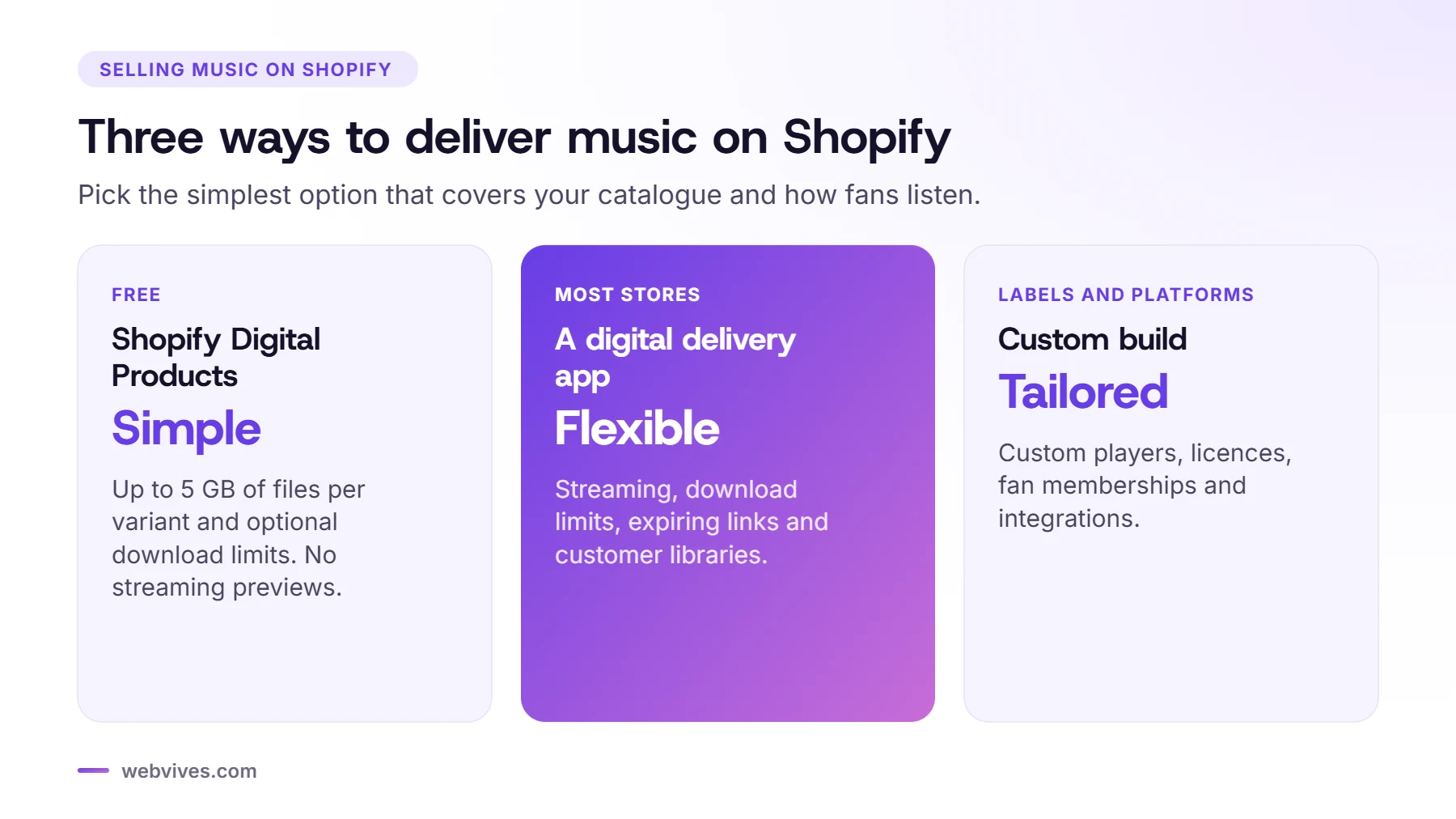
Option 1: Shopify’s free Digital Products app
Shopify’s own app (it used to be called Digital Downloads) attaches files to a product variant and emails the buyer a download page after payment. According to Shopify’s Help Center:
- Each variant can hold up to 50 files, with a combined size of up to 5 GB.
- You can set how many times each customer can download, or leave it unlimited.
- There’s no bandwidth limit on downloads.
- Download links can also appear on the thank-you and order status pages.
What it doesn’t do: it has no streaming player, no expiring links and no customer library. Share links you create don’t expire either. It’s a good fit for an artist with a handful of releases who wants to keep costs at zero.
Option 2: A digital delivery app
Most music stores we build use a dedicated delivery app. Two examples from the Shopify App Store:
- Sky Pilot lets customers stream or download their files from an organized library. It supports download limits, expiry options and login protection. Plans range from a free plan with 100 MB of storage to paid plans with much more storage and bandwidth (at the time of writing).
- AnyAsset lists audio as a product type and supports files up to 1.5 GB each. Download limits are included, and expiring links come on its higher plans (at the time of writing).
| Need | Shopify Digital Products | Delivery app |
|---|---|---|
| Price | Free | Monthly plan |
| Download limits | Yes | Yes |
| Expiring links | No | Usually |
| Streaming or in-browser playback | No | Some apps |
| Customer library | No | Usually |
App features and prices change, so compare current plans against your catalog size and expected downloads. Large WAV and stem files use storage and bandwidth quickly.
How to add audio previews
Shopify product media supports images, videos and 3D models, but not audio files. You have three practical options for previews:
- Use your delivery app’s player, if it offers one.
- Add a custom section to your theme with an HTML audio player that plays a short preview clip.
- Embed a player from a streaming service such as Spotify, SoundCloud or Bandcamp.
Whichever you choose, make previews short (30 to 60 seconds) and export them at a lower bitrate. A preview should never be your full-quality master, because anyone can save a file their browser plays.
Formats, variants and licenses
Use Shopify variants to offer each format or license as a choice on one product page:
- Format variants: MP3, WAV and FLAC, each with its own price and file.
- Licence variants for beats: for example a basic lease, a premium lease and an exclusive license. Attach the matching license PDF to each variant so the buyer gets it with the download.
- Bundles: sell a vinyl record with an instant download, so the fan can listen while the record ships.
Write your license terms clearly on the product page: how many streams or copies are allowed, whether the buyer can monetise, and how credit should appear. If you sell exclusive licenses, plan how you will remove the beat from sale once it’s bought.
Taxes on digital music
Digital goods are taxed differently from physical products. For EU customers, VAT is charged at the rate of the buyer’s own country, wherever you’re based. Shopify can apply EU digital goods VAT automatically once you turn on Charge VAT on digital goods in Settings, then Taxes and duties, and add your digital products to the collection it creates.
Non-EU sellers usually register through the EU’s Non-Union OSS scheme or register locally. Talk to a tax adviser about your situation.
Secure delivery settings that work
For most music stores, we start with these settings:
- 3 to 5 downloads per file, with re-access through a customer account
- Download links that expire after 7 to 30 days (if your app supports it)
- Short, streamed previews instead of full files
- A clear license line on product pages and in the order email
- A full test order before launch: buy, download, try the link again, and wait for it to expire
A real example: Vocal Star Music
Vocal Star Music, a UK karaoke and music brand, sold its tracks on a custom Laravel platform where every change needed a developer. We moved the store to Shopify and migrated more than 5,000 products with their prices, variants and files.
- Delivery: we chose LDT Digital Downloads, which sends each file securely as soon as payment is confirmed.
- Music features: Shopify has no built-in player or album structure, so we custom-coded a track player, albums and latest, top and best-selling lists with Liquid and JavaScript.
- Result: the owner now runs everything from Shopify’s admin, and the same client has since asked us to build three more stores: Karaoke Hire Stars, Silent Disco Stars and Professional Backing Tracks.
Read the full Vocal Star Music case study.
Design tips for music stores
- Put the player and the buy button above the fold on mobile. Most fans arrive from social media on their phones.
- Show the tracklist, release date, format and file size, so buyers know what they’re getting.
- Add release pages that link the single, the album, the merch and the tour dates together.
- Keep the store fast. Large cover images and heavy players slow pages down; our Shopify speed guide covers the fixes.
Sources and further reading
- Selling digital products (Shopify Help Center)
- Product media types (Shopify Help Center)
- Tax on digital products (Shopify Help Center)
- Sky Pilot Digital Downloads (Shopify App Store)
- AnyAsset Digital Downloads (Shopify App Store)
Frequently asked questions
Can you sell music on Shopify?
Yes. Shopify handles the store and checkout, and a digital delivery app sends buyers their files. Shopify’s free Digital Products app works for simple catalogs; dedicated apps add streaming, limits and expiring links.
Can Shopify host audio previews?
Not as product media. Shopify product media supports images, videos and 3D models. Use your delivery app’s player, a custom theme section with a short preview clip, or an embedded streaming player.
How big can music files be on Shopify?
With Shopify’s Digital Products app, each variant can hold up to 50 files with a combined size of up to 5 GB. Third-party apps set their own limits.
Do I need to charge VAT on music downloads?
For EU customers, VAT on digital goods is charged at the rate of the buyer’s country. Shopify can apply it automatically when you turn on VAT for digital goods. Check your own obligations with a tax adviser.
How do I sell beats with different licenses?
Create one product per beat and add each license (for example basic lease, premium lease and exclusive) as a variant with its own price, files and license PDF.